“Between worlds, she keeps the keys.”
Start with the in-app Tutorial. It explains macOS Keychain, Secure Enclave, Touch ID and temporary sessions before teaching every screen through clickable cards. The final setup checklist uses current CLI status, not saved checkboxes.
The desktop app requires macOS 14 or later. Secure Enclave mode requires compatible Apple hardware. This is an ad-hoc signed community build, not a notarized Apple release. Unlocking still exposes session values to processes running as you until the TTL ends. Locking does not erase credentials already loaded by a running agent.
Download v0.3.0Hermes Agent reads its API keys from environment variables at startup. Normally those come from a
.env file in your profile directory, a list of credentials in plaintext, mode 0600.
That protects them from another user account. It does nothing against anything running as you: a curious
npm postinstall, a browser extension with disk access, a backup that syncs somewhere you forgot.
This plugin registers itself as a secret source. Hermes stops reading the file and asks the macOS Keychain instead. The keys you care about most can sit behind Touch ID, encrypted with a key that never leaves the Secure Enclave. It never prompts at startup, so the CLI, gateway, cron jobs and subagents all keep booting unattended.
This is the runtime half of a pair. Chthonios seals a whole profile at rest; this plugin hands individual secrets to a running process.
Every guarantee below is enforced by silicon or the OS, not by this code. Here is exactly which piece does what.
A separate processor on the Apple Silicon SoC with its own encrypted memory, isolated from the main CPU and the OS. Enclave mode generates a P256 private key inside it that can never be read out, not by the kernel, not by root, not by a disk image. The key blob we store on disk is a sealed handle; copy it to another Mac and it is inert, because the matching private half lives in this chip.
The OS credential store. Plain-mode secrets are written as generic-password items via
/usr/bin/security, encrypted at rest by macOS and unlocked with your login session. It replaces
the flat file: cat .env stops being a credential dump and backups stop carrying keys. Session
records for enclave unlocks are cached here too, namespaced per Hermes profile.
The framework that puts a live human in the loop. One LAContext.evaluatePolicy raises a single
Touch ID prompt that authorizes a whole batch of decryptions. When the sensor is unreachable
(a clamshell MacBook on an external keyboard) it falls back to the login password or an Apple Watch via
deviceOwnerAuthentication, so the flow never dead-ends.
Encryption needs only the enclave key’s public half, so storing a secret never prompts. An ephemeral P256 key does ECDH against it, HKDF-SHA256 derives a symmetric key, and ChaChaPoly seals the value as an authenticated AEAD blob. Decryption runs the agreement inside the enclave, which is where the Touch ID gate bites.
The key is created gated on .userPresence by default. Pass --strict-biometry and
it binds to .biometryCurrentSet, the fingerprints enrolled right now. Enroll a new
finger later and the key invalidates itself. This is the anti-coercion cran: the key follows the enrollment,
not just the person.
| plain | enclave | |
|---|---|---|
| Storage | Keychain generic password | Ciphertext file, key inside the Secure Enclave |
| Read requires | an unlocked login session | live user authentication |
| Works headless | yes, via the System keychain | no, by design |
| Prompt at startup | never | never, you unlock out of band |
| Value at rest | encrypted by the Keychain | ChaChaPoly, key that cannot be exported |
Pick plain for anything a cron job or the gateway needs at boot. Pick enclave for keys where you would rather the process fail than have them read silently: the one that signs, or spends money.
Sealing uses only the public key, which is why an agent can add a secret with no human present. Opening runs the key agreement inside the Enclave and demands a live touch.
An optional SwiftUI app ships in ui/. It shells out to the same CLI and pipes secret
values over stdin, so nothing sensitive ever lands in process arguments, and it holds
no security logic of its own. One code path to audit, not two.
It also drives Chthonios end to end: seal a profile behind a passphrase or a YubiKey, unseal it, lock it, verify it. The page opens on the numbers: how many profiles are sealed, open or unmanaged, and which one the app is driving.
One YubiKey covers as many profiles as you like: the credential lives on the token, so the app offers to bind the next profile to the same key in a click. Enrolling the first key stays a terminal ceremony, because a mistyped PIN spends one of the token's eight retries.
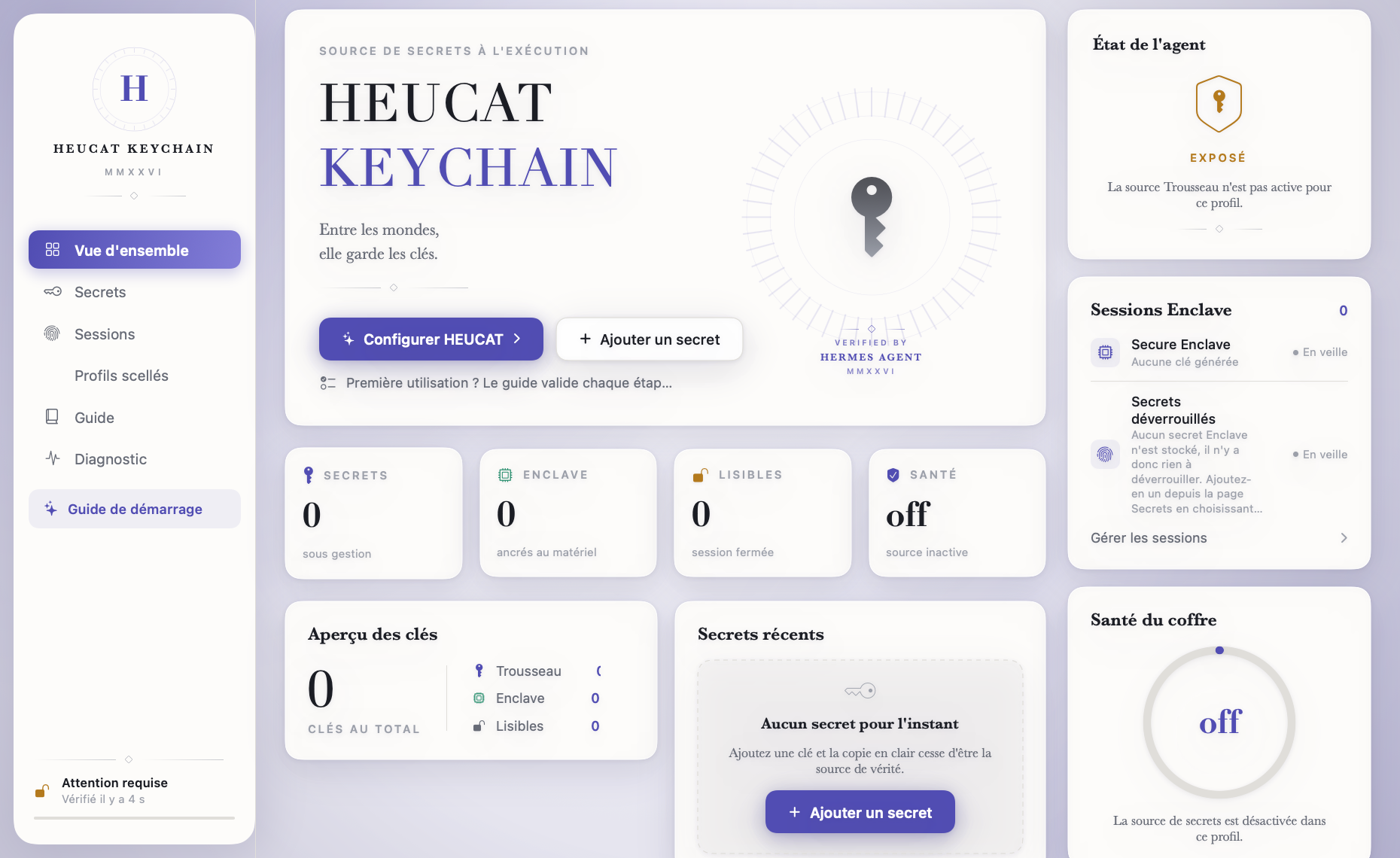
The overview opens on the numbers. A single Guide page in the sidebar teaches the macOS security model, walks every screen, then checks your setup live.
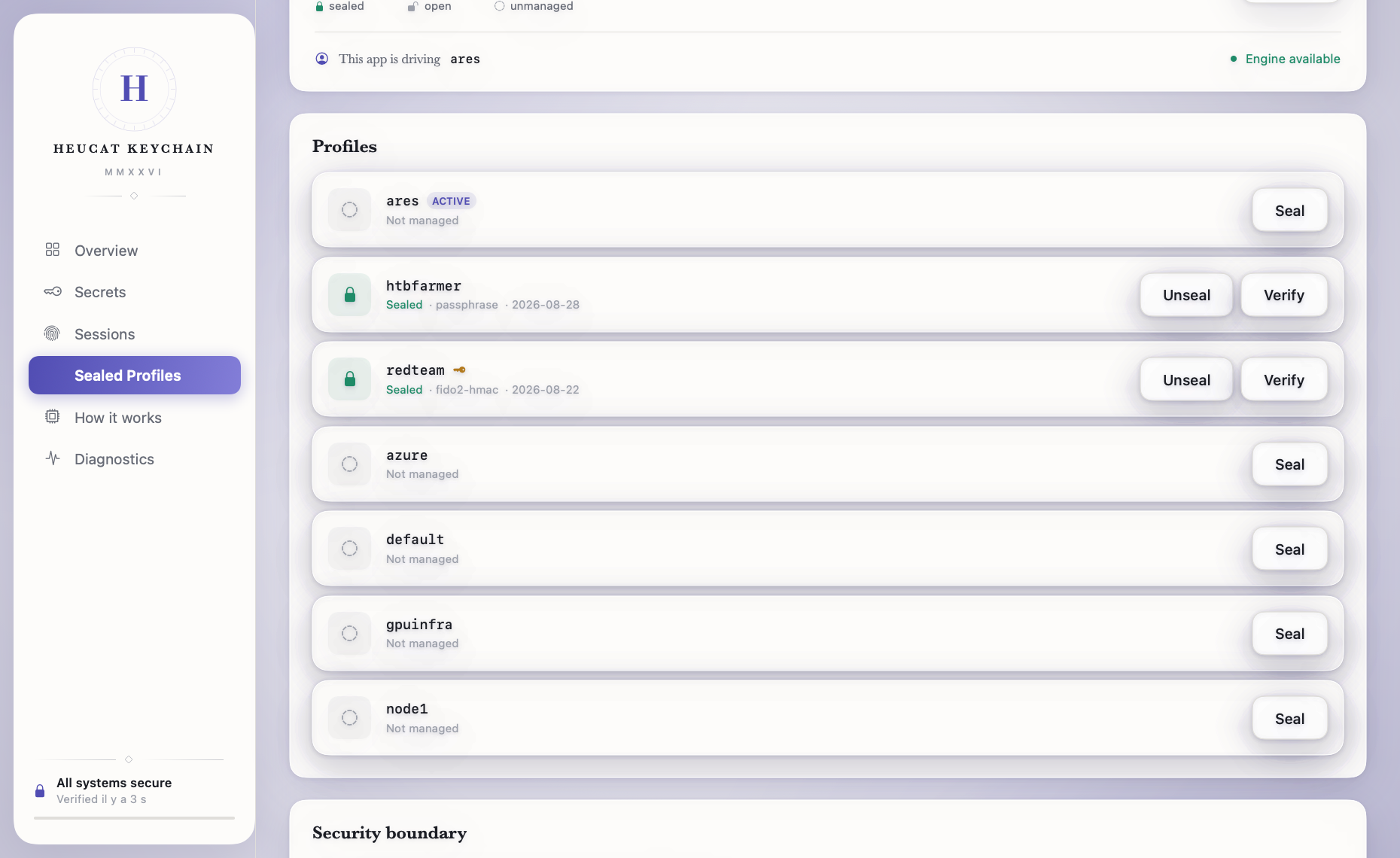
The interface is French and English, switchable live. Failures are read from the CLI's exit codes rather than its message text, so a wrong passphrase stays distinguishable from a missing profile in either language.
Open the app's Tutorial page. Read the four security concepts, explore the interface cards, then complete the six live checks.
Click Check now. If it stays incomplete, verify the Hermes home, executable, plugin, and helper paths in Settings.
install.sh builds the Secure Enclave helper. The app can also build it on the first enclave secret. Diagnostics shows the exact path.
Choose Apple Keychain for credentials needed by a gateway, daemon, or cron job without Touch ID. The value travels over stdin and is never displayed again.
Choose Secure Enclave for higher value credentials. Storage needs only the public key, so this step does not prompt for Touch ID.
Click Unlock. One macOS authentication opens every enclave secret until the session TTL expires. Hermes startup remains non-interactive.
Enable screen-lock handling to clear enclave sessions when macOS locks. Authenticate again when you return.
No real value belongs in a command argument. The CLI prompts in protected input and the app pipes values over stdin. Diagnostics prints paths and states, never secret values.
# into your profile's plugins directory
git clone https://github.com/iacker/heucat \
~/.hermes/plugins/keychain-secretsource
# the key is `keychain`, the manifest name, # not the directory name plugins: enabled: - keychain secrets: sources: [keychain] keychain: enabled: true
hermes keychain store OPENROUTER_API_KEY hermes keychain store GITHUB_TOKEN --enclave # one auth opens every enclave session hermes keychain unlock # per-secret state hermes keychain status
Storing registers the secret automatically, with no hand-editing config.yaml. The Secure
Enclave helper compiles itself the first time you store an enclave secret; you need Xcode Command Line Tools
(xcode-select --install).
| If this happens | .env file | Plain | Enclave |
|---|---|---|---|
| Your disk is read: backup, cloud sync, stolen Mac | Plaintext | Encrypted at rest | Ciphertext only |
| Ciphertext copied to another machine | Works fine | Useless | Useless |
| A process runs as you, before any unlock | cat is enough |
Readable | Unreadable |
| A process runs as you, after unlock, within TTL | cat is enough |
Readable | Readable |
The last row is the honest one. Unlocking trades some of the guarantee for never interrupting a cron job. Lock the session when you are done rather than waiting for the timeout.
It is not a password manager, it does not sync anywhere, and it holds no website logins, only machine credentials.
Plain mode does not protect against a process running as you while your session is unlocked, which is all day. What it fixes is the flat file. That is real hygiene, not an impenetrable wall.
Enclave mode raises the bar, until you unlock. During the TTL window the plaintexts are as reachable as plain mode. That is the price of letting cron jobs start without a prompt. hermes keychain lock closes the window early; a short session_ttl_seconds narrows it.
One design note. Biometric Keychain ACLs would have been the obvious route. They require the Data Protection keychain, which requires a paid Apple Developer entitlement an ad-hoc signed CLI cannot hold, so it fails with errSecMissingEntitlement. Encrypting against an Enclave key, the way age-plugin-se does, gets the same guarantee without it.